Evenfall

An IPTV player for LG TVs

Evenfall plays the live channels, movies, and series from an IPTV service you already use. It runs on LG TVs with webOS, and every screen works with the arrow keys, OK, and Back on the remote.

Evenfall does not include or sell channels, films, or subscriptions. It plays what your service provides.

See the price
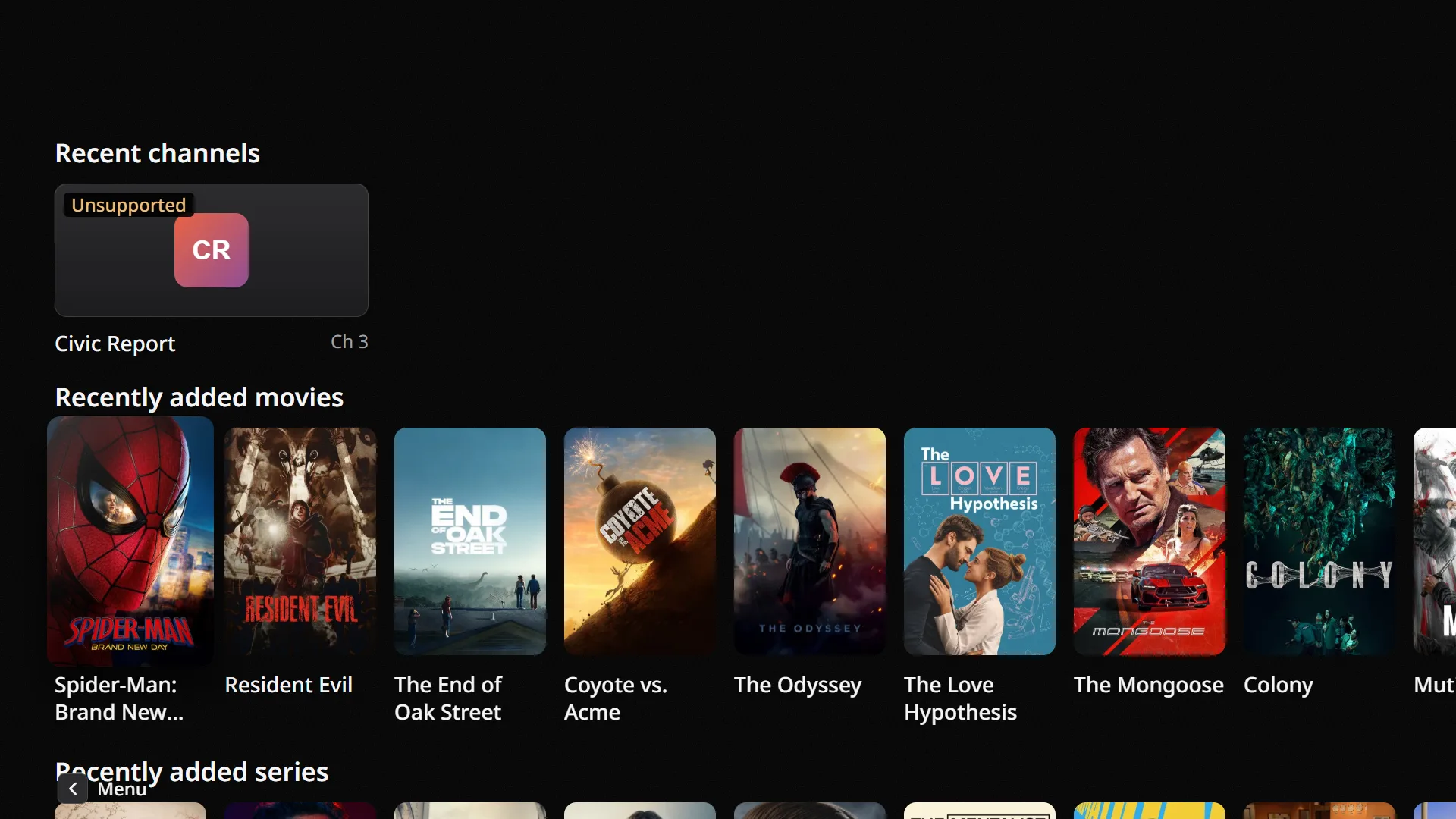
The Evenfall home screen with recently added movies and series

Live TV

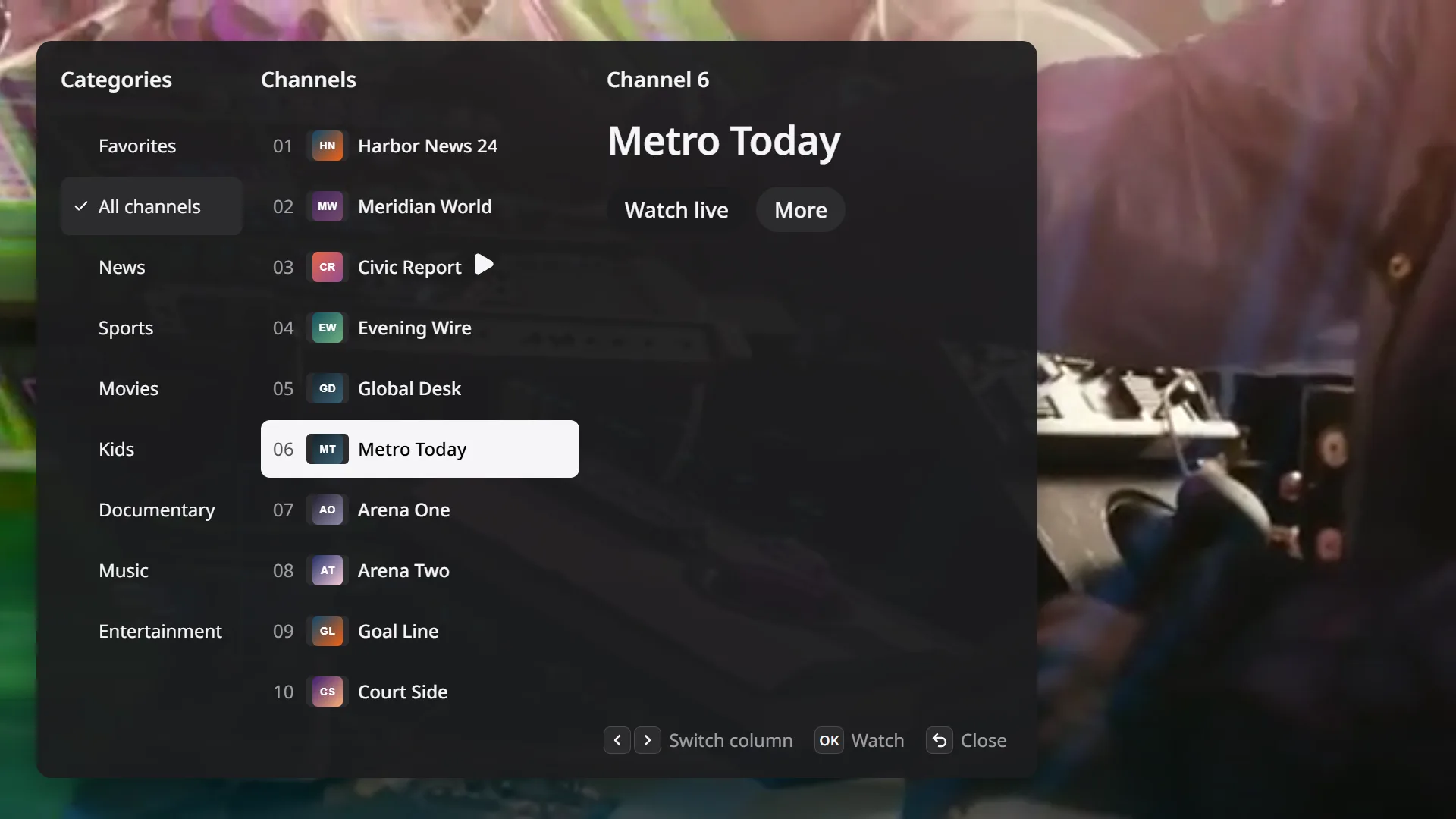
The video fills the screen with no menus on top. Press Left to open the channel list over the video. It shows categories, channels, and the selected channel's details side by side.

  • Press Up or Down to change the channel.
  • Favorites and recently watched channels have their own lists.
The channel list open over a live channel

Movies and series

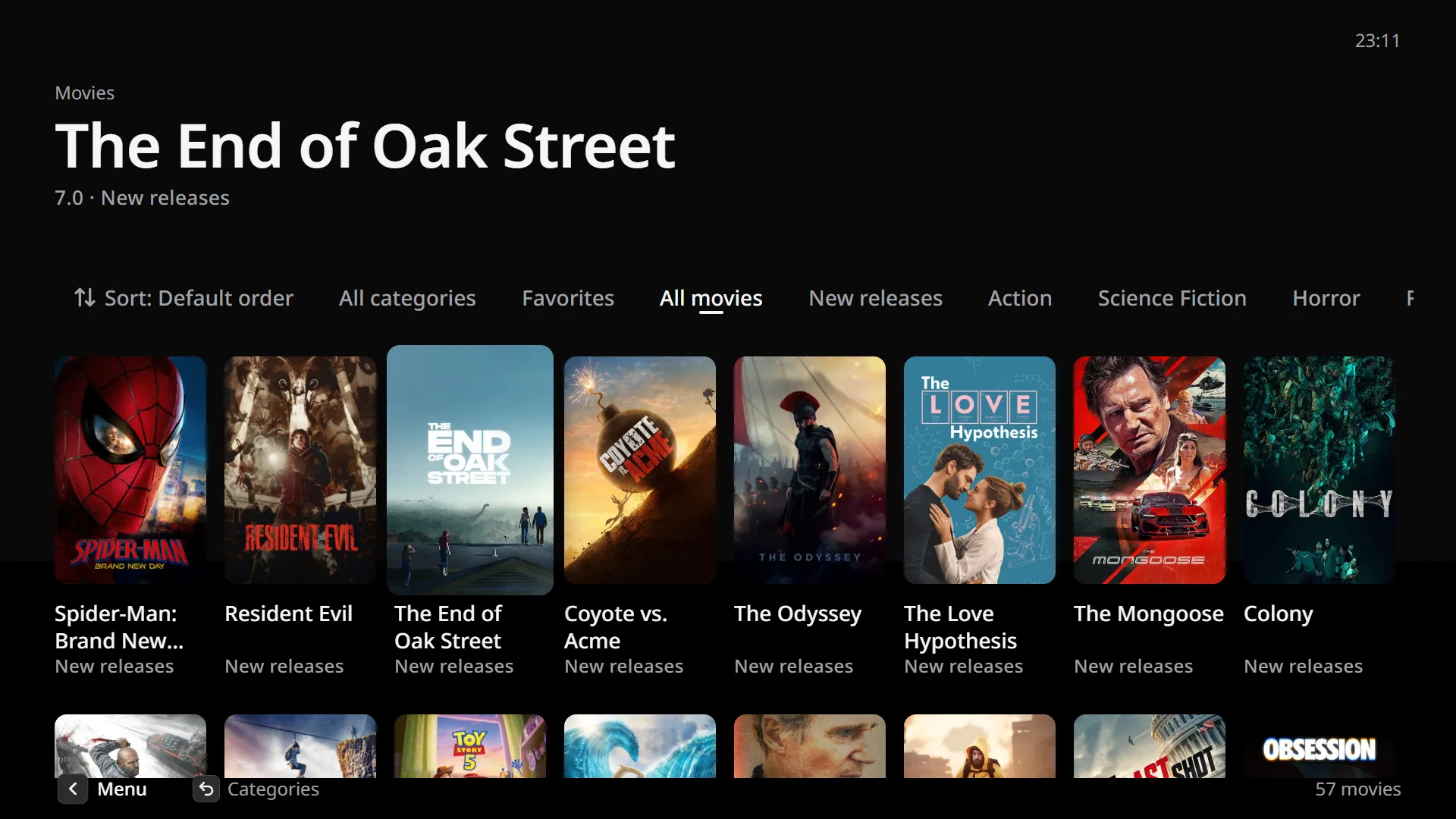
Posters from your service fill the grid. Evenfall saves the catalog on the TV, so it opens without waiting for a download, and it remembers where you stopped each movie and episode.

The movie grid, filtered by category
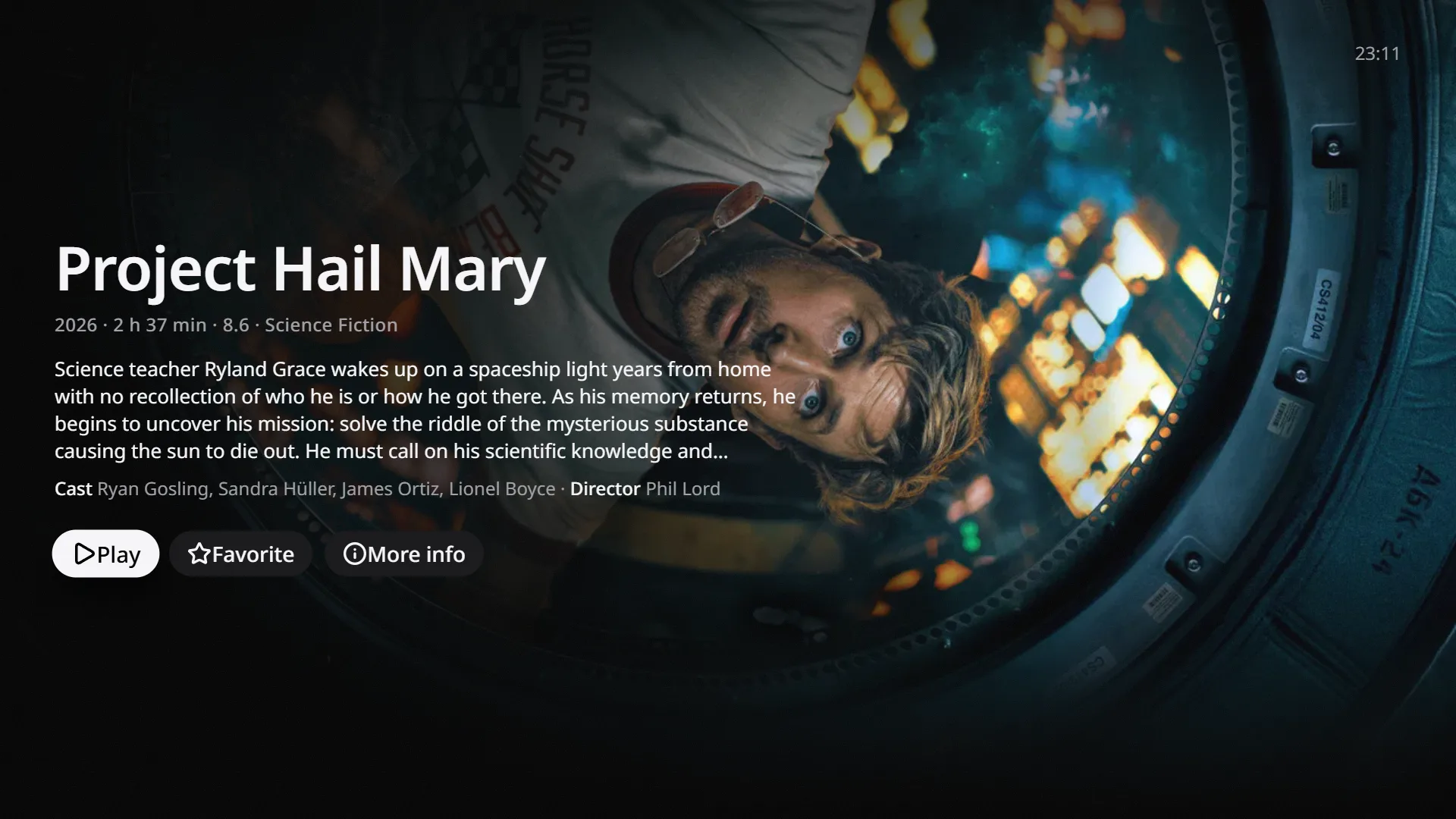
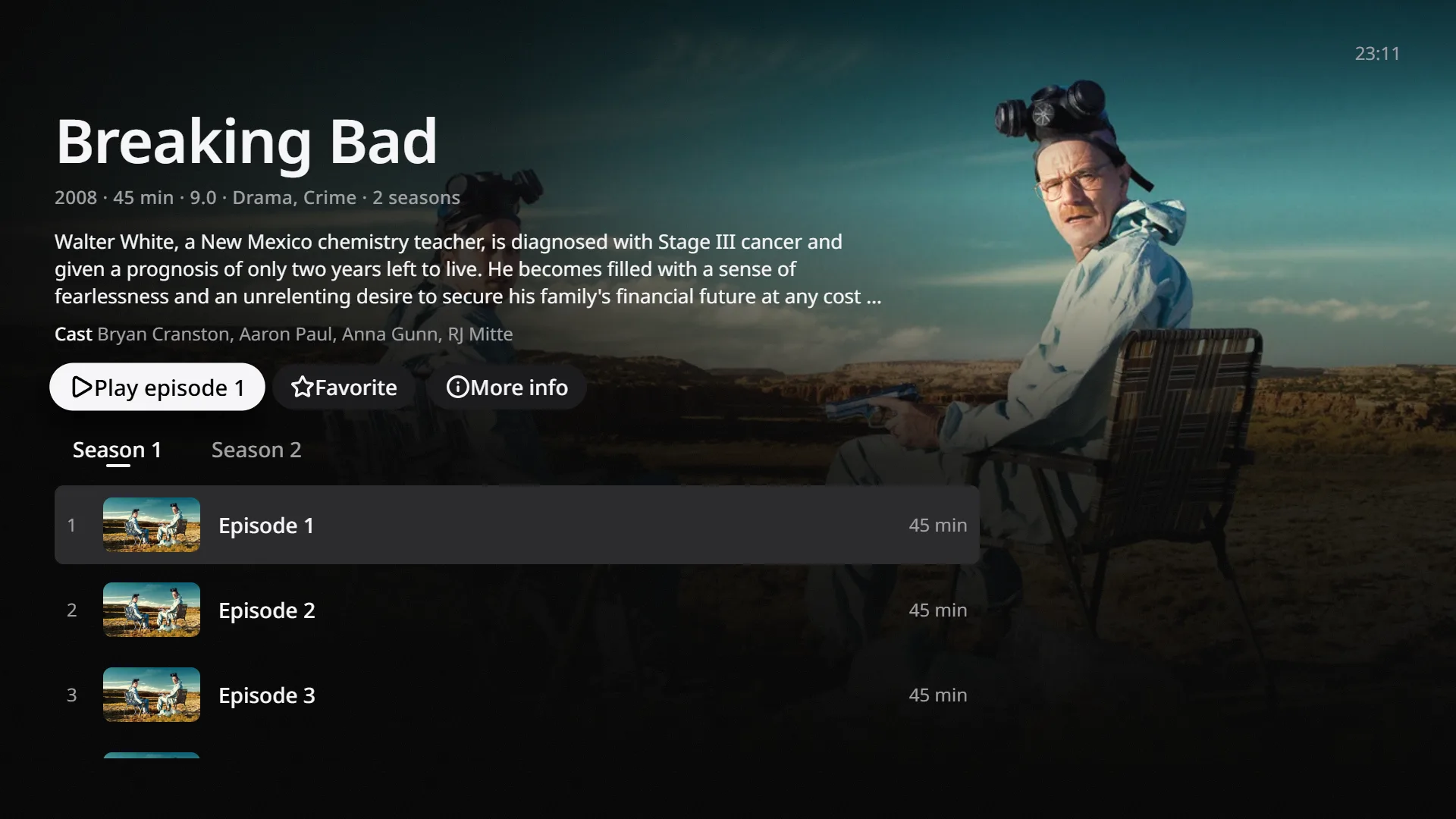
A movie page with the plot, cast, and Play buttonA series page with seasons and episodes

What else it does

Remote control
The arrow keys, OK, and Back reach every screen. Back closes the top panel first.
Long lists
Evenfall draws only the rows on screen, so a list of thousands of channels scrolls at the same speed as a short one.
Setup from your phone
The TV shows a QR code. Scan it and type your service details on your phone instead of with the remote.
Continue watching
Movies and episodes start where you stopped. Home lists what you are partway through.
Search
One search box finds channels, movies, and series.
Privacy
The TV stores your service details encrypted. If you set up from your phone, our server passes the details to the TV and then deletes them.
Languages
English, Turkish, German, and Spanish. The app follows the TV's language unless you pick one in Settings.
Audio and subtitles
You can switch the audio track or subtitles when your service provides more than one.

Getting started

  1. Install Evenfall IPTV from the LG Content Store.
  2. Enter the Xtream Codes details from your IPTV service, on the TV or on your phone.
  3. Watch free for 7 days. After that, buy a license from your phone to keep playing.

Price

One license unlocks the whole app. There are no feature tiers.

Price announced at launch

  • Covers one LG TV for 12 months.
  • Includes updates released during those 12 months.
  • Starts with a 7-day free trial that needs no card.
  • Does not include channels or other content.

You pay by card on your phone. Our payment provider handles the card details, and Evenfall never receives them.

Questions

Does Evenfall include channels or movies?

No. Evenfall is a player. It does not provide, sell, or link to channels, films, or IPTV subscriptions.

Which TVs does it run on?

LG TVs with webOS. You install the app from the LG Content Store.

Which services can I connect?

Any service that gives you Xtream Codes details, which are a server address, a username, and a password.

How does the free trial work?

The trial starts the first time you play something and lasts 7 days. You don't enter payment details. After it ends you can still browse, but playback needs a license.

Can I use one license on several TVs?

No. A license covers the TV you bought it on. Each other TV needs its own license.

Can I cancel?

Yes. If you cancel before the renewal date, the TV keeps working until the paid year ends.

What do you store about me?

A random ID for your TV, and whether it is on a trial or a license. We don't store your service details or what you watch.